Moves like real cloth
Grab it anywhere and it lifts, wrinkles and trails behind you, then relaxes flat wherever you let go.
 RUGby
Download
RUGby
Download
A desktop rug for your Mac
RUGby turns your desktop into a wooden floor with a soft, real-cloth rug on it. Drag messy icons underneath and they're out of sight. Move the rug to find them again.
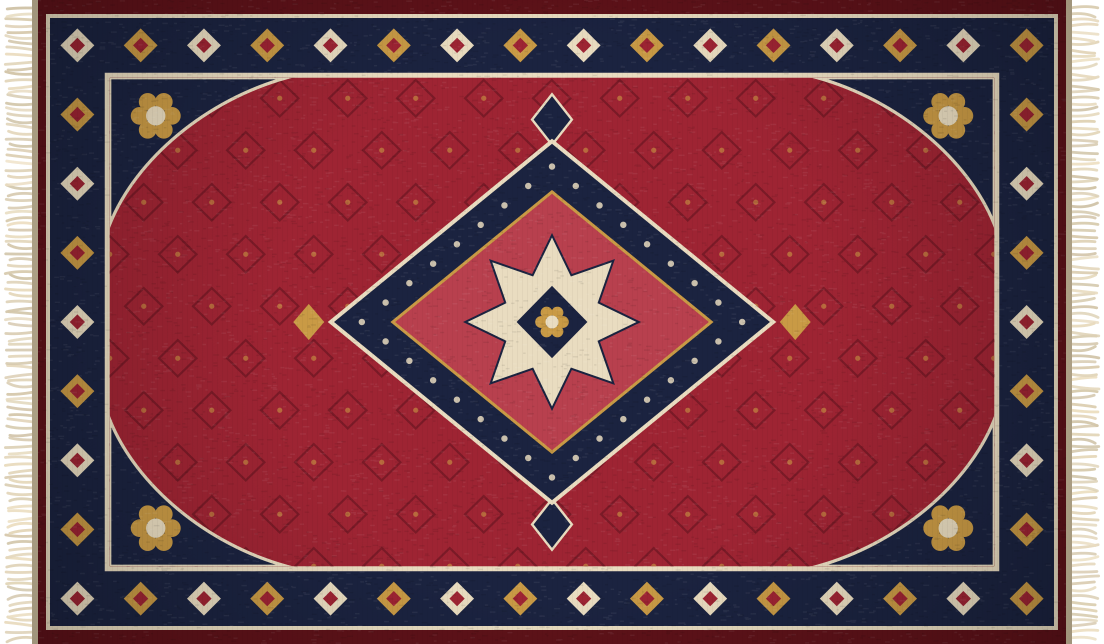
Drag the rug around, or sweep an icon under it.
A tidy desktop without actually tidying. RUGby only changes what you see, never your files.
Grab it anywhere and it lifts, wrinkles and trails behind you, then relaxes flat wherever you let go.
Nothing is moved, renamed or deleted. Icons just sit on your desktop, underneath the rug.
A patch of window light drifts across the floor through the day, and the room dims at night.
Clicks go straight through to your desktop everywhere except the rug itself.
The physics only runs while the rug is moving. At rest it uses next to no CPU or battery.
Pick a small, medium or large rug, or switch the wooden floor off and keep your own wallpaper.
A wooden floor appears behind your icons, with a rug in the middle. RUGby lives in the menu bar .
Drag an icon onto the rug. The edge lifts, the icon slips underneath, and the rug settles over it.
Looking for something? Drag the rug aside and everything is right where you left it.
No. RUGby never touches your files. The rug is drawn on top of your desktop, so icons underneath are just covered up. Move the rug, or quit RUGby, and they're all still there.
This version isn't notarized by Apple yet, so macOS asks you to confirm you trust it the first time. Open it once, then click Open Anyway in System Settings → Privacy & Security. You only need to do this once.
Finder is arranging your desktop for you. Right-click the desktop, set Sort By to None, and turn off Use Stacks.
No. The cloth only simulates while the rug is moving, then goes to sleep. Sitting still, RUGby uses next to no CPU.
Click the RUGby icon in the menu bar and choose Quit RUGby; your normal wallpaper comes straight back. To uninstall, drag RUGby from Applications to the Trash.